You record your screen, play it back, and there's nothing. Or there's the app's sound but not your voice. Or your voice but not the video you were playing. Screen recording audio has a few moving parts, and each kind of silence has its own cause.
The short answer
Yes, screen recording can record audio, but there are two different kinds, and they're controlled separately:
| Audio type | What it is | iPhone default | Android default |
|---|---|---|---|
| Internal audio (device or media sound) | Whatever the phone plays: apps, games, videos | On | Depends on the option you pick |
| Microphone audio | Your voice and the room around you | Off | Depends on the option you pick |
And three things are deliberately left out on both platforms: call audio, protected streaming content, and audio from apps that block capture.
How audio works on iPhone
An iPhone screen recording captures internal audio by default: the app's sounds, a video you're playing, a game. It does not capture your voice unless you turn the microphone on.
To record your voice too:
- Open Control Center (swipe down from the top-right corner).
- Touch and hold the Screen Recording button.
- Tap Microphone so it's on, then tap Start Recording.
The microphone choice stays on for future recordings until you switch it off. If you haven't added the Screen Recording button yet, our iPhone screen recording guide shows how.
One thing that catches people out: the recording captures what the phone actually plays. If an app is quiet on your speaker, it'll be quiet in the recording too. Some apps and games go silent when the Ring/Silent switch (or Action button) puts the phone in Silent mode. If you can't hear it while recording, check that first.
How audio works on Android
Android asks you before each recording, and the wording depends on the phone:
- Pixel and stock Android: before you tap Start, you choose whether to record audio, and then whether it's device audio (app sounds), the microphone, or both.
- Samsung Galaxy: the Screen recorder offers No sound, Media sounds, or Media sounds and mic. "Media sounds" leaves the microphone off, so your voice won't be in it.
If you picked the wrong option, there's no fixing it afterwards. The audio simply wasn't captured. Our Android screen recording guide walks through where these settings live on each brand.
Why your screen recording has no sound: a checklist
Work down this list. Most silent recordings are one of the first three.
- The microphone was off. That's the default on iPhone and a common choice on Android. Your voice won't be there unless you turned it on.
- You chose "no sound" or "media only" on Android. Check the option before the countdown next time.
- The app was muted on the phone itself. Silent mode, the app's own volume, or media volume at zero. The recorder can't capture sound the phone isn't playing.
- You were on a call. Phone calls, FaceTime, WhatsApp, and other voice or video calls are excluded from screen recordings. Samsung states it outright: phone, VoIP, and video calls can't be recorded with the screen recorder. For FaceTime specifically, here are the workarounds that do work.
- The app protects its audio. Some games and media apps mark their sound as protected, so the recording is silent even though you heard it fine.
- It's a streaming service. Netflix and similar apps protect both picture and sound. More on that below.
- Something else grabbed the microphone. If another app was using the mic (a voice memo, a call, a dictation tool), close it and try again.
Test before anything important. A ten-second recording, played back with the sound up, tells you more than any checklist.
Why Netflix records a black screen (and sometimes no sound)
Streaming apps use DRM (digital rights management) to stop their shows being copied. When you screen record, the protected area records as black, and depending on the app and the phone, the audio may be missing too.
That's deliberate, and there isn't a legitimate setting to change it. If you want to watch something offline, use the app's own download feature. If you want to share a scene, send a link, or record the trailer from the studio's official channels. We won't cover workarounds for DRM here, because getting around it breaks the service's terms and, in many countries, the law.
How to get clean voice audio in a screen recording
If you're narrating a tutorial or an app demo, the built-in mic is fine as long as the room cooperates:
- Record somewhere quiet and soft. A room with a couch and curtains sounds far better than a kitchen.
- Keep the phone close, about the distance you'd hold it to read.
- Turn on Do Not Disturb so notification sounds don't land in your narration.
- Do a test take. Listen on headphones, not the phone speaker.
- Consider recording silent and adding narration later. For short app demos, captions plus a light music track often work better than a voiceover, and they play fine with the sound off, which is how many people watch on social feeds.
Where MobileStudio fits
If your screen recording is going to become an app demo or a product video, the audio is only half the job. The other half is making the footage look like a finished video: a clean device frame, a background, a zoom on the tap that matters, exported at the right size.
That's what MobileStudio does, on the phone, without sending the file to a laptop first. It's now on Google Play, with iPhone coming soon. Get MobileStudio, or see real app demos made with it.
Quick FAQ
Does iPhone screen recording record sound?
Yes. It records the phone's internal audio by default. To include your voice, touch and hold the Screen Recording button and turn on the microphone.
Does screen recording record audio from YouTube?
Usually, yes, as long as the video is playing out loud on the phone. Some apps protect their content, though, and those come out silent or black.
Can screen recording capture both my voice and the app's sound?
Yes. On iPhone, turn the microphone on. On Android, choose "device audio and microphone" or Samsung's "Media sounds and mic".
Why does my recording have my voice but not the other person on a call?
Because call audio is excluded from screen recordings on both iPhone and Android. Use a proper call-recording method instead, and get consent.
Does screen recording work with headphones connected?
It can. Results vary by headphone, app, and OS version, so do a short test take with your headphones connected before you record anything that matters.
Sources and further reading
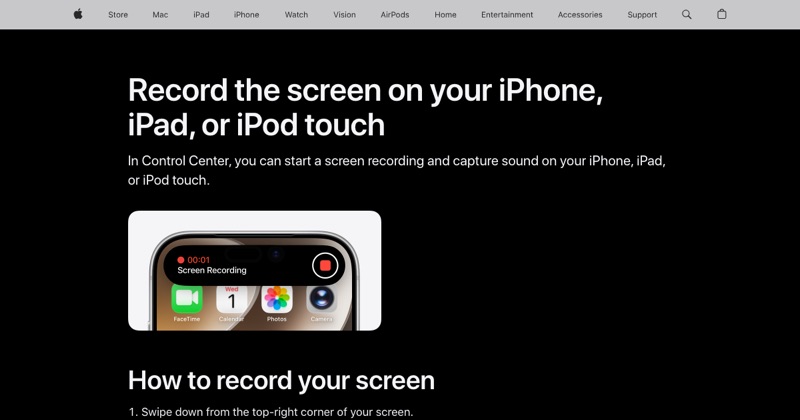 support.apple.comApple Support: Record the screen on your iPhone, iPad, or iPod touchIn Control Center, you can start a screen recording and capture sound on your iPhone, iPad, or iPod touch.
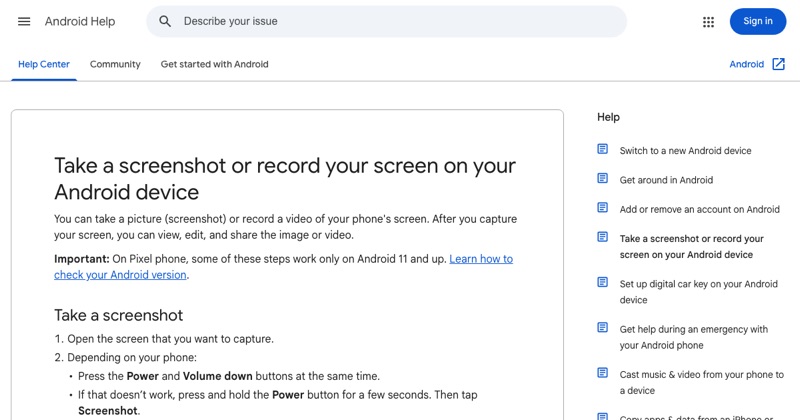 support.google.comAndroid Help: Take a screenshot or record your screenGoogle's official steps for the built-in Android screen recorder, including where recordings are saved.
 samsung.comSamsung Support: Using the Screen Recorder on my Samsung deviceSamsung's guide to the Galaxy Screen recorder in the Quick panel, its sound options and settings.