iMovie's speed slider stops at 2x. If you need a 10-minute screen recording to fit into a minute, you'll need one of these workarounds.
Method 1: Speed up in iMovie twice (free)
- In iMovie, create a Movie project with your clip.
- Tap the clip, tap Speed, and set 2x.
- Done > Share > Save Video. This saves a 2x version to Photos.
- Start a new Movie project and add that 2x video.
- Set it to 2x again. Now it's 4x the original.
- Save again. Repeat once more for 8x.
Each pass keeps the resolution, so quality holds up.
Method 2: A third-party editor
Apps like CapCut let you set much higher speeds in one go, and add speed curves that ramp up and down smoothly. CapCut speed guide. Check export options for watermarks.
Method 3: Time-lapse (if you haven't filmed yet)
For long real-world scenes, the Camera app's Time-lapse mode speeds things up automatically. It can't be applied to a video you've already shot, though.
Make very fast video watchable
At 4x and above:
- Mute the original audio. Add music instead.
- Slow back down for key moments. Use iMovie's speed ranges to keep important parts at 1x.
- Add a label like "4x" so viewers know it's sped up.
- Check it on the phone before posting. If it's a blur, use less speed or cut more.
Often better: cut instead
If a section is boring at 1x, it's often still boring at 8x. Consider cutting it entirely and keeping a quick 2x transition.
Free tool: Speed Up Video makes any video 0.25× to 4× faster or slower in your browser, with natural-sounding audio and no watermark.
Where MobileStudio fits
Long app screen recordings are where speed tricks matter most. MobileStudio is built to turn them into tight app demos on your phone. Get MobileStudio.
Quick FAQ
Can iMovie go faster than 2x on iPhone?
Not in one pass. Export and speed up again.
Does speeding up twice reduce quality?
Very little. Resolution is kept on each export.
Sources and further reading
 support.apple.comApple Support: Adjust video speed in iMovie on iPhoneIn iMovie on your iPhone, adjust the speed of video clips in your movie project. You can also create freeze frames.
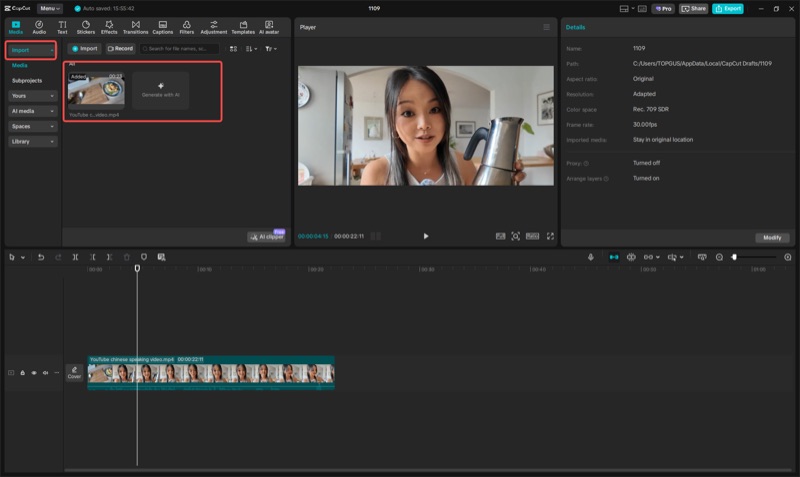 capcut.comCapCut: How to speed up a videoCapCut's guide to speeding up video on desktop and iPhone, including normal and curve speed.