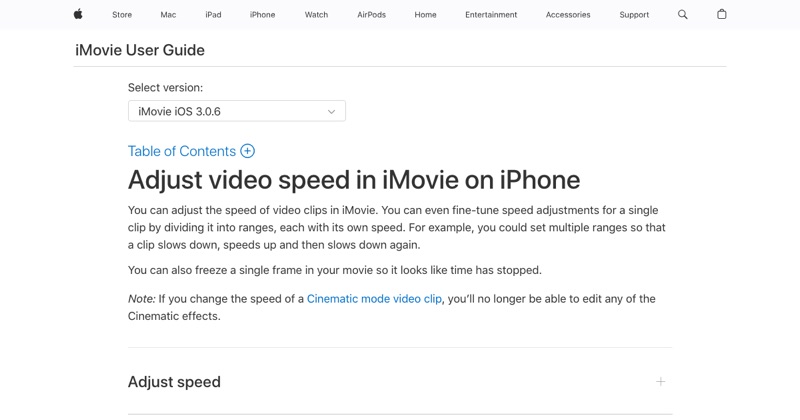
Here's the frustrating part first: the iPhone's Photos app can't speed up a regular video. But Apple makes a free app that can, and it takes about a minute.
The short answer
| What you want | Use | Max speed |
|---|---|---|
| Speed up a normal video | iMovie (free, by Apple) | 2x per pass |
| Undo slow motion on a Slo-mo clip | Photos | Back to normal speed |
| Faster than 2x | iMovie twice, or CapCut | 4x+ |
| Speed up something you haven't filmed yet | Camera, Time-lapse mode | Automatic |
How to speed up a video in iMovie
- Download iMovie from the App Store (free, made by Apple) and open it.
- Tap Start New Project > Movie.
- Select your video and tap Create Movie.
- Tap the clip in the timeline to select it.
- Tap the Speed button (the speedometer icon).
- Drag the slider toward the hare to speed it up, up to 2x.
- Tap Done, then the Share icon, then Save Video.
The sped-up version saves to Photos, and your original isn't changed.
Tip: iMovie lets you speed up just part of a clip. After tapping Speed, drag the yellow handles to select a range, or tap Add to create several ranges with different speeds.
Need it faster than 2x?
Export at 2x, start a new iMovie project with that exported video, and speed it up again. That gives you 4x. Our guide to speeding up video on iPhone more than 2x has the details.
Keep a sped-up video watchable
- Mute the audio above about 1.5x. Fast speech sounds odd, so add music instead.
- Speed up the boring parts only: loading screens, typing, waiting. Keep the important moments at normal speed.
- Watch it once on the phone before posting. If you can't follow it, slow it down.
Speeding up screen recordings
Screen recordings are often long and slow. Speeding up the dull stretches is the quickest way to make them watchable. See how to speed up a video on iPhone for the screen-recording angle.
Free tool: Speed Up Video makes any video 0.25× to 4× faster or slower in your browser, with natural-sounding audio and no watermark.
Where MobileStudio fits
If your video is a screen recording of your own app, MobileStudio is built for exactly this kind of editing: trimming, pacing, framing, and exporting an app demo on the same phone. Get MobileStudio.
Quick FAQ
Can I speed up a video on iPhone without an app?
Only Slo-mo clips (back to normal speed). For anything else, use the free iMovie app.
Does speeding up a video lower the quality?
No. The resolution stays the same.
Can I speed up only part of a video?
Yes. In iMovie, use the speed range handles to pick a section.