Recording a video call on your phone feels like it should be simple: start a screen recording, take the call, done. Then you play it back and the other people are silent.
That's not your phone failing. Both iPhone and Android deliberately leave call audio out of screen recordings. So recording WhatsApp or Zoom calls properly means using the app's own recording when it has one, or moving the call somewhere that can record it.
The short answer
| Call | Built-in recording? | Best way on a phone | Best way overall |
|---|---|---|---|
| WhatsApp video call | No | Not reliably possible with call audio | Join from WhatsApp on a computer and record there |
| Zoom meeting | Yes, cloud recording | Host (or allowed co-host) taps More > Record | Same, or desktop local recording |
| FaceTime | Audio calls only, in some regions | See our FaceTime guide | A Mac with a virtual audio driver |
And whichever you use: tell people you're recording, and get their OK.
How to record a WhatsApp video call
WhatsApp doesn't have a call recording feature, on iPhone or Android. Its calls are end-to-end encrypted, and recording isn't something the app offers.
What happens if you screen record it? You'll get the video, but expect the call audio to be missing or one-sided. Samsung's own documentation says phone, VoIP, and video calls can't be recorded with its screen recorder, and iPhone screen recordings leave out call audio too.
What works instead:
- Use WhatsApp on a computer. Install WhatsApp Desktop on Windows or Mac and make the video call from there.
- Record the computer's screen and audio. On Windows, OBS Studio (free) can capture the window and system audio. On a Mac, you'll also need a virtual audio driver such as BlackHole. The setup is the same one we walk through in the FaceTime guide.
- Test with a ten-second call first and play it back before the real one.
The low-tech fallback: put the call on speaker and record it with a second device. The quality is rough, but it captures both sides.
Be wary of Play Store or App Store apps promising to record WhatsApp calls with full audio. Results are inconsistent, and many of them ask for broad permissions. If you try one, test it on a real call first and check what access it wants.
How to record a Zoom meeting on your phone
Zoom is the easy one, because recording is built into the app, as long as you're allowed to use it.
If you're the host (on a paid account):
- Start or join the meeting in the Zoom mobile app.
- Tap More (the three dots).
- Tap Record (on iPhone it may say Record to the Cloud).
- Everyone in the meeting sees a recording indicator.
- When the meeting ends, Zoom processes the recording, and it appears in your Zoom web portal under Recordings.
Two things to know:
- Phones can only record to the cloud. Zoom's "Record to computer" (local recording) is a desktop-only feature.
- Cloud recording needs a licensed account. Zoom says it's enabled automatically for all paid subscribers. On a free account, you'll need the desktop app's local recording instead, if the host allows it.
If you're a participant: you can't record unless the host gives you permission. Ask them to record and share the file. That's also the most respectful route.
Screen recording a Zoom call captures the video, but treat the audio as unreliable. Some phones and versions leave the other participants out. Use Zoom's own recording when you can, and test before relying on anything else.
Can you screen record a regular phone call?
Screen recording isn't call recording. A screen recording captures what's on the display and, at most, your microphone, not the other person on the line.
For real call recording:
- iPhone (iOS 18.1 and later): in supported regions and languages, tap the record button on the call screen. Everyone hears an announcement, and the recording and transcript land in the Notes app.
- Android: the Phone by Google app and Samsung's Phone app both offer call recording in some countries, usually with an announcement to the other person. Availability depends on where you are and your carrier.
Consent: the part you can't skip
Rules vary by country, and in the US, by state. In some places, everyone on the call must agree to being recorded. In others, one person's consent is enough. Work, medical, and legal calls often come with stricter rules.
The simple habit that covers you almost everywhere: say "I'd like to record this, is that OK?" at the start, and make sure the answer is in the recording. This isn't legal advice, so if the recording matters for business or a dispute, check the rules where everyone on the call is located.
Recording calls for tutorials and demos
If you're recording a call to make a tutorial, a demo, or a walkthrough of your product, plan it like a video, not a meeting. Agree on what you'll show, close unrelated tabs and apps, turn on Do Not Disturb, and record a short test first.
Where MobileStudio fits
MobileStudio isn't a call recorder, and it can't capture call audio that your phone blocks. Where it helps is after the recording: if you've captured a walkthrough of your app on your phone, MobileStudio turns that raw screen recording into a polished app demo, with a device frame, zooms, and clean export, on the phone.
It's now on Google Play, with iPhone coming soon. Get MobileStudio, or see real app demos made with it.
Quick FAQ
Can WhatsApp tell if I screen record a call?
WhatsApp doesn't send a notification for screen recording. But the call audio usually won't be in the recording anyway, and recording without consent may be illegal where you are.
Does Zoom notify people when you record?
Yes. Zoom's own recording shows an indicator and plays a notice to participants.
Why does my Zoom recording from my phone not show up on my phone?
Mobile recordings go to the Zoom cloud. Sign in to the Zoom web portal and open Recordings.
Can I record a Google Meet or Teams call on my phone?
The same rules apply: use the app's own recording if your account allows it, because phone screen recordings generally leave out call audio.
Sources and further reading
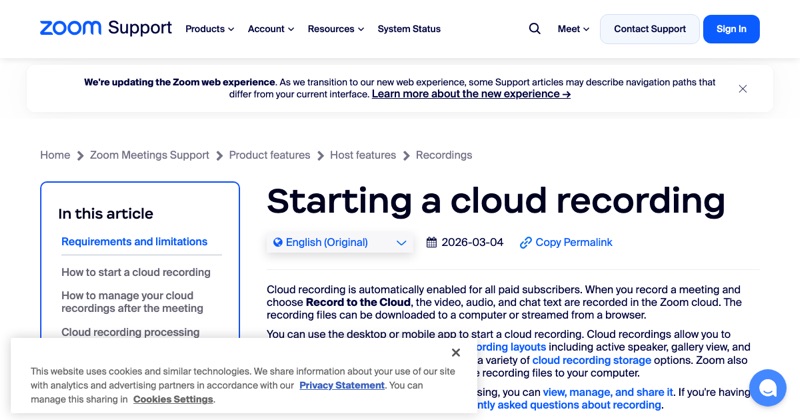 support.zoom.comZoom Support: Starting a cloud recordingZoom's guide to starting cloud recordings from the desktop app and the iOS and Android apps.
- Samsung Support: Record and capture your Galaxy phone or tablet's screen
 obsproject.comOBS StudioFree and open source software for video recording and live streaming.