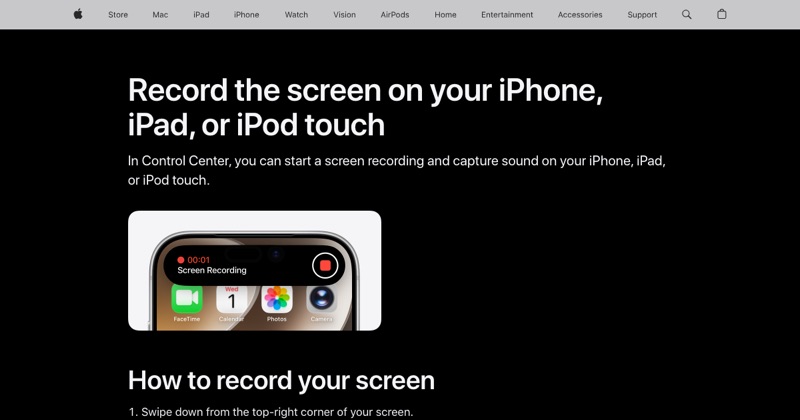
If you need to "enable" screen recording rather than just tap it, something is probably switched off. Here's how to find what's blocking it and turn it back on.
First, is it just missing?
If you can't see the button at all, it may simply not be added:
- Open Control Center (swipe down from the top-right).
- Tap + > Add a Control, search Screen Recording, and tap it.
On iOS 17 and earlier: Settings > Control Center, then tap +.
If it's there but gray, keep reading.
Enable it in Screen Time
- Open Settings > Screen Time.
- Tap Content & Privacy Restrictions.
- Tap Content Restrictions.
- Scroll to Screen Recording and choose Allow.
You may need the Screen Time passcode. If you've forgotten it, Apple has a recovery option on the passcode screen that uses the Apple Account that set it up.
If it's a child's iPhone with Family Sharing
When Screen Time is managed by a parent through Family Sharing, the setting is changed from the parent's device: Settings > Screen Time, tap the child's name, then the same Content & Privacy Restrictions > Content Restrictions > Screen Recording path.
If it's a work or school iPhone
Check Settings > General > VPN & Device Management. A management profile can disable screen recording, and you can't override it on the phone. Ask your IT team. Some organizations block it on purpose to protect confidential apps.
It's enabled, but some apps still record black
That's the app, not your phone. Streaming services and some finance apps prevent their content from being captured.
Test it
Start a 10-second recording, stop it, and play it back from Photos. If it plays with sound, you're set. For a fuller walkthrough, see how to screen record on iPhone.
Where MobileStudio fits
Recording your own app? MobileStudio turns the raw screen recording into a polished demo on your phone. Get MobileStudio.
Quick FAQ
Why is screen recording disabled on my iPhone?
A Screen Time restriction or a work or school management profile.
Can I enable it without the Screen Time passcode?
Not without the passcode or the Apple Account that set it up.