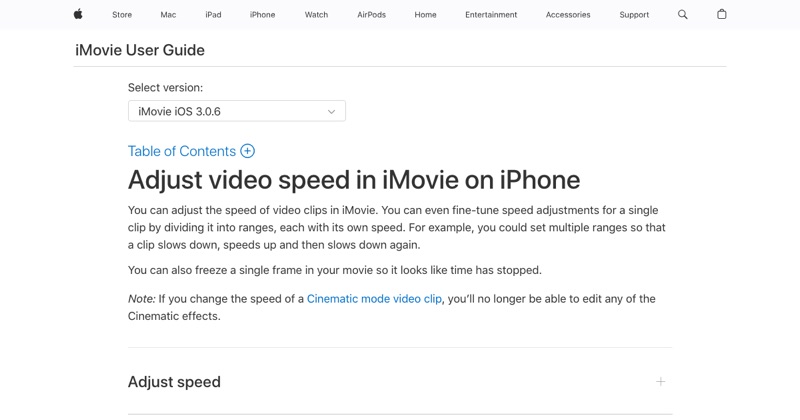
The how-to is quick: use Apple's free iMovie, tap your clip, tap Speed, and drag to 2x. Then Done > Share > Save Video. (Full steps.)
The harder part is the result. Here are the mistakes that make sped-up videos hard to watch.
Mistake 1: Speeding up everything
A video that's fast from start to finish is exhausting. Speed up the dull parts and keep the important moments at normal speed. iMovie's speed ranges let you do this within one clip.
Mistake 2: Keeping the sped-up audio
Even with iMovie's pitch correction, fast speech is hard to follow and sounds odd. Above about 1.5x, mute the clip and add music, or use captions.
Mistake 3: Text flying past
If the video shows text, like a recipe, a setting, or a message, it needs to stay on screen long enough to read. Slow down for text, or add a freeze frame (iMovie has one in the Speed controls).
Mistake 4: Exporting the wrong version
After editing in iMovie, you need to Share > Save Video. Closing iMovie doesn't put the new version in Photos. Your original is untouched until you export.
Mistake 5: Using an app that watermarks it
Lots of free speed apps add a watermark unless you pay. iMovie doesn't. If you use another app, check the export first.
A quick checklist before you post
- Is anything important too fast to follow?
- Is the audio muted or replaced where it's sped up?
- Is it the exported version, not the original?
- Did you watch it once all the way through?
Free tool: Speed Up Video makes any video 0.25× to 4× faster or slower in your browser, with natural-sounding audio and no watermark.
Where MobileStudio fits
For app screen recordings, pacing makes or breaks a demo. MobileStudio is built to turn raw recordings into well-paced app demos on your phone. Get MobileStudio.
Quick FAQ
How do I make a video play faster on iPhone?
In iMovie, select the clip, tap Speed, and slide toward the hare.
Why is my sped-up video still normal speed in Photos?
You may be looking at the original. Export from iMovie with Share > Save Video.