Started a screen recording and now want it to end? Here's how, plus fixes for the rare times it won't stop or save.
Way 1: Tap the red indicator
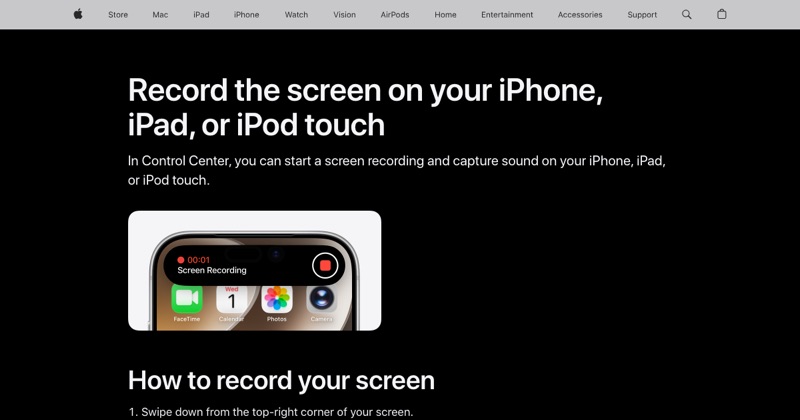
While your iPhone is recording, a red indicator sits at the top of the screen: around the clock on iPhones with a notch, or in the Dynamic Island on newer models.
- Tap the red indicator.
- Tap Stop.
Way 2: Use Control Center
- Swipe down from the top-right corner.
- Tap the red Screen Recording button.
Either way, you'll see a "Screen Recording video saved to Photos" banner.
Where the video goes
Open Photos. The recording is at the end of your Library, like a video you just shot.
Trim the end
Stopping always records the last second or two of you reaching for the stop button. Open the video, tap Edit, and drag the right-hand yellow handle in a little. Then tap Done.
If it won't stop
- The red indicator doesn't respond: open Control Center and tap the record button instead.
- The phone is frozen: force restart. Press and release volume up, press and release volume down, then hold the side button until the Apple logo appears. The recording may not save, but it will end.
If it stopped but didn't save
"Screen recording failed to save" usually means low storage. Free up space in Settings > General > iPhone Storage, then try a short test recording. Very long recordings need extra free space while they save.
If you didn't start it
If you see the red indicator and didn't start a recording, check whether another app is screen sharing, like a video call app sharing your screen, and end that session.
Where MobileStudio fits
Once you've stopped and saved your recording, MobileStudio can turn it into a polished app demo without a laptop. Get MobileStudio.
Quick FAQ
Can I stop a recording with the side button?
Locking the phone ends most recordings, but use the indicator to be safe.
Why is my recording still running?
Tap the red indicator or the Control Center button to stop it.