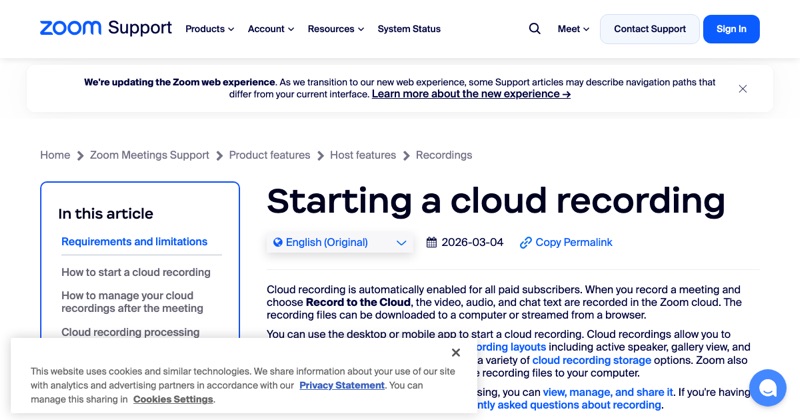
Zoom's phone app only records to the cloud, which needs a paid account. If you're on a free plan with only an iPhone, here's what actually works.
Option 1: Join from a computer instead (best)
If you have any Mac or PC, join the meeting there with the Zoom desktop app and use local recording, which works on free accounts. You get reliable audio and video for everyone. How to record locally.
Option 2: Ask the host
If you're a participant, the host may already be recording, or can record and share the file with you. This is also the most respectful route.
Option 3: iPhone screen recording (limited)
You can start the iPhone's screen recorder during a Zoom call. But:
- The video of the meeting will be captured.
- The other participants' audio may be missing, since iPhone screen recordings often exclude call audio.
- Zoom doesn't show other people a notice for this, so you must tell them yourself.
Test it on a short call with a friend before relying on it.
Option 4: Record audio with a second device
Put the meeting on speaker and record it with another phone or a voice recorder. Rough, but it captures both sides. Get consent first.
The consent part
Recording laws vary. In some places everyone must agree to being recorded. Say "I'd like to record this, is that OK?" at the start, and keep the answer in the recording.
If you record often
A paid Zoom plan unlocks cloud recording on iPhone. See how to record a Zoom meeting on iPhone.
Where MobileStudio fits
For showing off your iPhone app, skip the meeting recording. Record the app directly and polish it in MobileStudio. Get MobileStudio.
Quick FAQ
Can I record a Zoom meeting on iPhone with screen recording?
The video, yes. Participants' audio is often missing.
What's the free way to record Zoom?
Local recording in the desktop app.