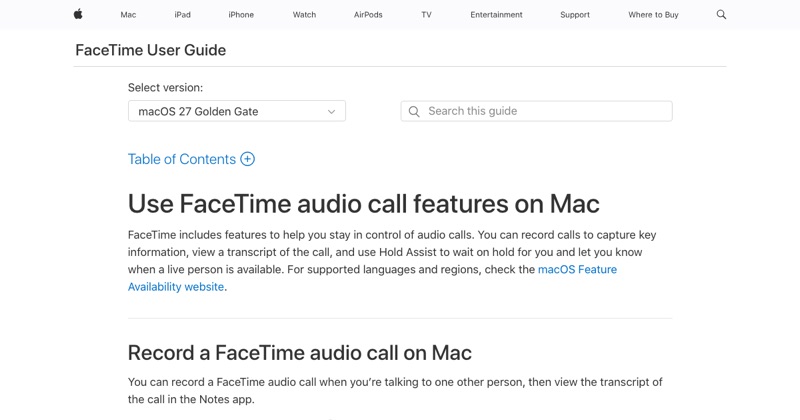
Group FaceTime calls are the hardest to record. Apple's built-in Call Recording only works on one-to-one audio calls. Here's what works for groups.
Option 1: A Mac (best)
Join the group call from a Mac and route the call audio into a recorder:
- Free: BlackHole plus QuickTime or OBS, set up through Audio MIDI Setup.
- Paid: Audio Hijack for the audio, plus a screen recorder for video.
Everyone's voice comes through cleanly, because you're capturing what the Mac plays. Mac setup steps.
Option 2: Screen record on speaker (iPhone)
Screen record with the microphone on and the group call on speaker. You get the grid of video tiles and everyone's voices through the room, with some echo. iPhone steps.
Option 3: A second device (audio)
Record the speaker with another phone or a voice recorder. It's simple and works for any number of people. Second-device tips.
Getting consent from a group
With more people, consent gets more important, and more complicated, especially if they're in different states or countries:
- Ask at the start, before you begin recording.
- Make sure everyone actually answers, not just one person.
- Re-ask if someone joins late.
Tips for group recordings
- Ask people to mute when not speaking. It cuts background noise.
- Use speaker view or a stable layout if you're recording video.
- Test your setup with one friend first.
Where MobileStudio fits
MobileStudio isn't for calls. It turns screen recordings of your own app into polished demos. Get MobileStudio.
Quick FAQ
Can iPhone's Call Recording record group FaceTime?
No, only one-to-one audio calls.
What's the best way to record group FaceTime?
A Mac with BlackHole or Audio Hijack.