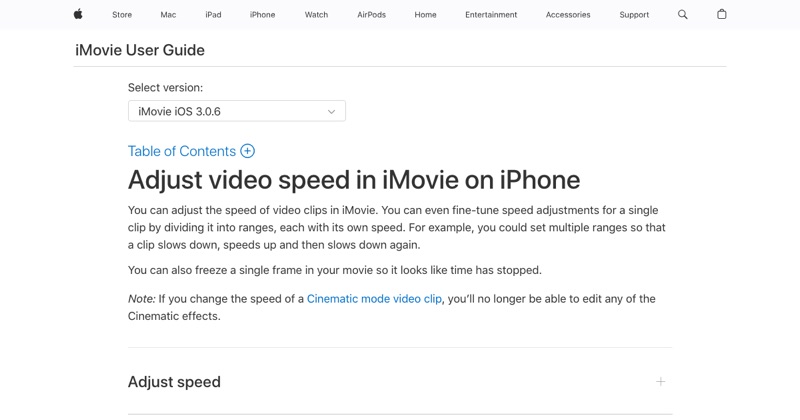
Yes, and you don't need to pay or put up with a watermark. The catch is that the free, clean option isn't the Photos app. It's iMovie.
The free, watermark-free option: iMovie
iMovie is made by Apple, costs nothing, has no ads, and never adds a watermark.
- Install iMovie from the App Store if you don't have it.
- Tap Start New Project > Movie, pick your video, and tap Create Movie.
- Tap the clip, tap Speed, and drag toward the hare. 2x is the max in one pass.
- Tap Done > Share > Save Video.
Watch out for these with free third-party apps
Many "speed up video" apps in the App Store are free to download but:
- Add a watermark unless you subscribe.
- Show ads between steps.
- Lock export quality (like 720p) behind a paywall.
- Use weekly subscriptions that add up fast.
Before using one, check the App Store listing for "In-App Purchases" and read recent reviews.
What about Photos?
Photos only changes Slo-mo clips, back toward normal speed. It can't make a regular video faster.
What about online tools?
Browser-based editors can speed up video for free too, but you upload your video to someone else's servers, and many have file-size limits or watermarks on free plans. See speed up video online free for what to check.
Faster than 2x for free
Export from iMovie at 2x, start a new project with that export, and speed it up again. Still free, still no watermark. How it works.
Free tool: Speed Up Video makes any video 0.25× to 4× faster or slower in your browser, with natural-sounding audio and no watermark.
Where MobileStudio fits
For screen recordings of your own app, MobileStudio is built to make the whole demo, including pacing, framing, and export, on your phone. Get MobileStudio.
Quick FAQ
Is iMovie really free?
Yes, from Apple, with no watermark.
Can I speed up a video on iPhone without downloading anything?
Only Slo-mo clips, in Photos. For normal video you'll need iMovie.