Two different questions hide behind this search: "Does Discord itself record my calls?" and "Can I record calls in Discord?" Here's both.
Does Discord record your calls?
Discord doesn't offer call recording as a feature, and there's no built-in record button for users. Discord has also announced end-to-end encryption for voice and video calls, designed so that only the people in the call can access the audio and video. Check Discord's privacy and safety pages for the current details for your type of call.
Can someone in the call record it?
Yes, with outside tools:
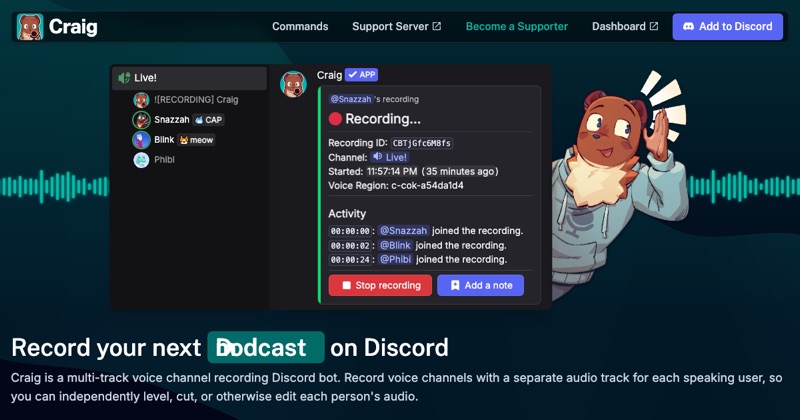
- Recording bots like Craig, added to a server, which can record voice channels. Craig shows that it's recording.
- OBS Studio or other screen recorders on a computer, which don't notify anyone.
- Phone screen recorders, though these often miss other people's call audio.
So assume a call could be recorded by someone in it, even though Discord itself doesn't record it.
How to tell if a bot is recording
Recording bots join the voice channel as a visible participant, and usually indicate that they're recording. If an unfamiliar bot is in your channel, ask what it's doing.
Protecting yourself
- Be careful what you share in calls with people you don't know.
- Leave a channel if a recording bot joins and you didn't agree.
- Report recordings shared without consent, through Discord's reporting tools.
If you want to record
Get consent from everyone first. Then use Craig for voice channels or OBS for everything else. How to record Discord calls.
Where MobileStudio fits
MobileStudio isn't a call recorder. It turns screen recordings of your app into polished demos. Get MobileStudio.
Quick FAQ
Can Discord listen to my calls?
Discord has announced end-to-end encryption for voice and video calls. Check its privacy pages for current details.
Does Discord notify you if someone records?
Not for screen recorders. Recording bots are visible in the channel.